Selecting a different asset or network
Instead: Match the sender’s payment route to the receiver’s current instructions.
A practical guide for Canadian players: check the address, network, amount and deposit status.
A Bitcoin deposit involves two services: the wallet or exchange sending the payment, and the casino receiving it. Before confirming, check that their payment instructions match and that the amount arriving meets the casino’s requirements.
This guide covers a standard on-chain Bitcoin transfer. Use separate instructions if the cashier explicitly offers another payment method, such as Lightning.
Review the regional information and the operator’s account restrictions before funding an account.
Check that the cashier accepts the Bitcoin payment route you intend to use.
Note the minimum, any receiving charge and the required confirmations.
Include transfer costs in the amount you are comfortable spending.
If you are sending from an exchange or another custodial service, check its withdrawal conditions and permitted uses as well. A casino accepting a payment does not establish that your sending service permits it.
The screen labels vary between services, but the checks below remain useful. Follow the current instructions inside your own account rather than copying an address or amount from this guide.
Open the operator’s account and payment information. Resolve any eligibility or verification questions before sending money.
Write down the minimum BTC deposit and any conditions affecting crediting. If you are considering a bonus, check whether it requires activation before the deposit and whether it applies to your payment.
Check: account eligibility, payment availability, minimum deposit and bonus selection.
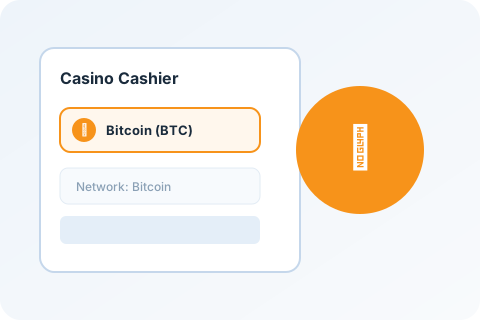
In the casino account, open Deposit, Cashier or Wallet, then select Bitcoin — BTC.
For the on-chain transfer described here, confirm the Bitcoin network. Do not substitute Bitcoin Cash, Litecoin or a token representing BTC on another blockchain.
A service’s published network guide can help, but the current account instructions are the final details to inspect before sending. For example, Stake’s help centre lists BTC on the Bitcoin network.
Check: asset = BTC; payment route = the one explicitly requested by the receiver.
Copy the address from the current deposit screen. Paste it into your wallet’s recipient field and compare the pasted value with the casino’s instructions before continuing.
If you scan a QR code, inspect the resulting address and amount too. Scanning replaces typing; it does not replace checking.
Do not use an address from an advertisement, a public comment or an unsolicited support message.
Check: the destination matches the current cashier instructions.
Enter the BTC amount in the sending service. Check whether its fee is charged separately or deducted from the amount you entered.
Compare the amount going to the casino with the minimum deposit. Also check whether the casino quotes a separate receiving charge or converts the payment into another balance currency.
If the payment does not meet the conditions within your spending limit, stop and review your options.
Check: amount sent to the recipient, total account debit and minimum deposit.
Review the destination, asset, payment route and amounts one last time. Complete the sending service’s confirmation process.
Keep the withdrawal or payment reference. Once the transaction is broadcast, save its Bitcoin transaction ID, also called a TXID.
A sending service’s internal reference and a Bitcoin TXID are not necessarily the same thing.
Check: the sending service shows what happened to the request.
Use the TXID to inspect the transaction status through your wallet or a Bitcoin block explorer. Check the output paying your casino address, rather than assuming the transaction’s total output value belongs to you.
Then check the deposit history inside the casino. Network confirmation and account credit are separate events: a confirmed transaction may still need to meet the casino’s crediting conditions. Bitcoin payment processing involves both network verification and the receiver’s handling of the payment.
Source: Bitcoin payment processing documentation.
Check: transaction status, destination amount and casino deposit history.
Use the sending service’s quoted fee and the casino’s stated minimum to check the arithmetic before you confirm.
This example does not fetch live fees or verify a casino’s payment conditions.
Below the entered minimum
The estimated recipient amount is below the minimum you entered. Review the payment conditions before sending.
Illustrative inputs. Any separate receiving charge or currency conversion is not included.
For an on-chain Bitcoin transaction, the network fee depends on transaction size and fee rate, rather than being a simple percentage of the amount sent. A custodial service may quote its own withdrawal charge, so inspect its payment summary.
Bitcoin blocks arrive approximately every ten minutes on average, but individual waits vary. A transaction is not guaranteed to confirm in the next block, and the casino may require additional confirmations before crediting it.
A test payment may help check a payment route, but only if it meets the receiving service’s conditions. A below-minimum transfer may not be credited, and making two transfers can incur two sending charges. Do not treat a successful small deposit as proof of future withdrawal availability.
Choose the status that best matches your payment. Check the existing transaction before sending another deposit.
Check the transaction against the casino’s deposit instructions.
Message to the casino
Hello, my Bitcoin deposit has not appeared in my account.

Transaction ID: [TXID]
Amount sent to the deposit address: [BTC amount]
Date and time, including time zone: [date and time]
Current confirmations: [number]
Casino deposit reference, if available: [reference]

Could you check whether this transaction has been detected and explain whether any crediting requirement is still outstanding?

Thank you.
Fill in the placeholders yourself after copying. Send payment details only through the service’s official support channel. Never provide a wallet recovery phrase, private key or password.
Instead: Match the sender’s payment route to the receiver’s current instructions.
Instead: Check the recipient amount, not just the amount entered.
Instead: Open the current cashier and confirm the destination again.
Instead: Check the sender, network and casino deposit status separately.
Instead: Investigate the original transaction first.
Instead: Check eligibility and restrictions before making the qualifying deposit.
Check both services’ terms. The exchange must permit the withdrawal and destination, and the casino must accept the payment route. An available withdrawal button is not a substitute for those checks.
Compare BTC casino conditions → /crypto/bitcoin-btc
Compare published BTC payment information, withdrawal conditions and casino reviews.
Find official regional starting points and check location eligibility.
Understand the conditions attached to a casino bonus before accepting it.
This guide explains a standard on-chain Bitcoin payment using Bitcoin documentation and published payment information. Individual wallets, exchanges and casinos may use different screens and conditions.
Illustrative screenshots explain what to inspect. They are not evidence of a completed deposit or withdrawal. Any real service captures should identify the screen and capture date.
If an instruction has changed, send us the relevant source and the correction. Do not send account credentials or wallet recovery information.
On this page
Canadian players first
Check provincial eligibility and published BTC conditions before you send.
Province guide